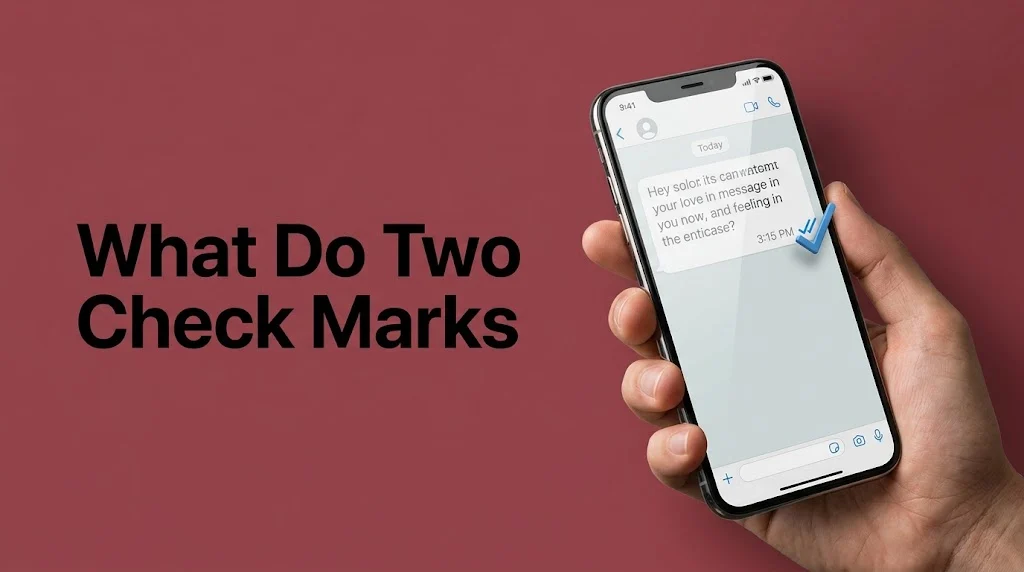
Have you ever sent a text message, noticed two check marks beside it, and wondered what they mean? You are not alone. Many people see these small symbols every day but are unsure whether their message was sent, delivered, or read.
Two check marks usually mean your message has been delivered to the recipient’s device. They do not always mean the person has read it. On WhatsApp, two gray check marks mean delivered, while two blue check marks usually mean read. Google Messages uses a similar system for RCS chats. Other messaging apps may use different symbols or colors.
This difference matters. You might be waiting for a reply from a friend, checking whether a family member received your message, or wondering if a coworker saw an important update. The marks can give you useful information, but they cannot tell you why someone has not replied.
You may see these symbols on WhatsApp, Google Messages, and other chat apps. On an iPhone, you may see words such as “Delivered” or “Read” instead. The exact meaning depends on the app, the type of message, and the recipient’s privacy settings.
Definition & Meaning
Two check marks in a text message usually mean the message has reached the recipient’s device. In WhatsApp and Google Messages RCS chats, two gray or unfilled checks generally indicate delivery, while colored or filled checks can indicate that the recipient has read the message. Always check which app you are using.
What does the symbol mean?
A check mark is a small status symbol that helps you follow a message after sending it. Depending on the app, it may show that a message has been sent, delivered, or read.
The three stages are different:
- Sent: The messaging service has accepted or sent your message.
- Delivered: The message has reached the recipient’s device or a linked device.
- Read: The app has received a read receipt indicating that the message was opened or viewed.
These stages do not always appear in the same way. Standard SMS texts, for example, do not use the same read-receipt system as WhatsApp or RCS chats.
Quick reference table
| Message status | Common symbol | What it means |
|---|---|---|
| Sending | Clock or progress icon | The message is still being sent. |
| Sent | One check mark | The service has accepted or sent the message, depending on the app. |
| Delivered | Two gray check marks | The message reached the recipient’s device or linked device. |
| Read | Two blue or filled check marks | A read receipt indicates the message was read. |
| Failed | Warning sign or red icon | The message could not be sent successfully. |
Important: These symbols are not universal. On WhatsApp, the distinction between gray and blue checks is especially useful. In Google Messages, the double-check icon is associated with RCS messaging, not ordinary SMS or MMS. Apple’s Messages app commonly displays “Delivered” and “Read” instead of double check marks.
Official references: WhatsApp Help Center and Google Messages RCS FAQ.
Quick takeaway
Two checks generally mean delivered, not necessarily read. If the checks change color or appearance, consult the rules for your specific app.
Why We Use Two Check Marks in Text Messages
Two check marks help users understand whether a message has reached its destination. They reduce uncertainty when people communicate through chat apps, especially when a reply is not immediate. However, they report message status rather than a person’s feelings, intentions, or willingness to respond.
1. To confirm message delivery
Suppose you send a friend the address of a restaurant. Two gray check marks on WhatsApp usually tell you that the message reached their device. You do not need to send the address again just because your friend has not replied.
2. To understand the difference between sent and delivered
A sent message has entered the messaging service’s delivery process. A delivered message has reached the recipient’s device or a linked device. This distinction is helpful when the other person’s phone is offline or their connection is unstable.
3. To check whether a message has been read
Some apps provide a separate read indicator. On WhatsApp, two blue check marks usually mean the recipient has read the message. In Google Messages RCS chats, a filled double-check icon indicates a read status.
4. To avoid sending duplicate messages
If your message is already delivered, sending the same message repeatedly may confuse the recipient. Wait a reasonable amount of time before following up, unless the matter is urgent.
5. To manage work and school communication
Delivery indicators can help when sharing a meeting time, assignment reminder, or schedule change. Still, a delivery indicator is not proof that the person understood the message or agreed to act on it.
6. To understand privacy settings
Read receipts allow people to control whether others can see that they have opened a message. If read receipts are disabled, you may not see a read confirmation even after the recipient views your message.
7. To communicate with less uncertainty
Message-status icons provide limited technical information. They can help you decide whether to check your connection, wait for delivery, or send a polite follow-up.
Pro tip: Use delivery status to understand whether a message arrived. Do not use it to guess someone’s mood or judge how quickly they should reply.
Main Section: 60 Practical Examples of Two Check Marks in Text Messages
The following examples explain how message-status indicators work in everyday situations. They cover WhatsApp, Google Messages, iPhone messaging, group chats, work conversations, dating, privacy settings, and common delivery problems.
The examples describe typical behavior, not a guarantee that every app or device will display the same symbols.
Example 1: Two Gray Check Marks on WhatsApp
Meaning: Your message has been delivered.
Real explanation: Two gray checks mean the message reached the recipient’s phone or a linked device. They do not confirm that the person opened it.
Sample situation: You send, “Are we still meeting at six?” Two gray checks appear.
When to use this information: When you want to confirm delivery.
When not to assume: Do not assume the person has read the message.
Alternatives: Delivered; message received; delivery confirmed.
Difficulty: Beginner. Tone: Neutral.
Example 2: Two Blue Check Marks on WhatsApp
Meaning: The recipient has read the message, according to the read receipt.
Real explanation: Blue checks generally indicate that the recipient has read your message. Group chats follow their own receipt rules.
Sample situation: You send, “I am outside.” The checks turn blue.
When to use this information: When a read receipt matters.
When not to assume: Do not assume the person is ready to reply.
Alternatives: Read; seen; read receipt received.
Difficulty: Beginner. Tone: Neutral.
Example 3: One Gray Check Mark on WhatsApp
Meaning: The message was sent, but delivery has not yet been confirmed.
Real explanation: WhatsApp has accepted the message, but it has not reached the recipient’s phone or linked devices.
Sample situation: You text a friend whose phone is switched off.
When to use this information: When checking why delivery is delayed.
When not to assume: One check alone does not prove that you have been blocked.
Alternatives: Sent; awaiting delivery; delivery pending.
Difficulty: Beginner. Tone: Neutral.
Example 4: Two Checks That Stay Gray
Meaning: The message is delivered, but no blue read receipt is showing.
Real explanation: The recipient may not have opened the conversation, or read receipts may be unavailable or disabled.
Sample situation: You send a weekend plan and see gray checks all afternoon.
When to use this information: When checking delivery without a read confirmation.
When not to assume: Do not conclude that the recipient is deliberately ignoring you.
Alternatives: Delivered but unread status unknown; awaiting read receipt; delivery confirmed.
Difficulty: Beginner. Tone: Neutral.
Example 5: Two Checks That Turn Blue Later
Meaning: A read receipt arrived after delivery.
Real explanation: The recipient may have opened the chat later, allowing the app to update the status.
Sample situation: A friend reads your message after finishing work.
When to use this information: When a read status changes over time.
When not to assume: Do not infer why the person waited to open it.
Alternatives: Read later; receipt updated; message viewed.
Difficulty: Beginner. Tone: Neutral.
Example 6: Two Checks in a WhatsApp Group
Meaning: The message has been delivered according to the group’s receipt status.
Real explanation: WhatsApp’s group status rules differ from one-to-one chats. Two gray checks appear when everyone has received the message; two blue checks appear when everyone has read it.
Sample situation: You share a class reminder in a group.
When to use this information: When checking group delivery.
When not to assume: Do not assume one person’s read status represents the entire group.
Alternatives: Group delivered; group read; receipt status.
Difficulty: Intermediate. Tone: Neutral.
Example 7: Two Checks in Google Messages
Meaning: In an RCS chat, a double-check icon usually means delivered.
Real explanation: Google Messages uses different status icons for RCS messages. These icons do not appear for ordinary SMS or MMS texts.
Sample situation: You send an RCS message to a friend with compatible chat features.
When to use this information: When checking an RCS conversation.
When not to assume: Do not apply the same icon rules to every SMS text.
Alternatives: RCS delivered; delivery confirmed; message received.
Difficulty: Intermediate. Tone: Neutral.
Example 8: Filled Double Checks in Google Messages
Meaning: The RCS message has been read.
Real explanation: Google Messages uses a filled double-check icon to indicate read status when the relevant RCS features are available.
Sample situation: A filled icon appears beside a message about a meeting.
When to use this information: When read receipts are supported.
When not to assume: Do not expect the same icon for SMS or MMS.
Alternatives: RCS read; read receipt; message viewed.
Difficulty: Intermediate. Tone: Neutral.
Example 9: “Delivered” on an iPhone
Meaning: The message was delivered, but a read receipt has not been shown.
Real explanation: Apple’s Messages app commonly uses status words rather than double check marks. “Delivered” is not the same as “Read.”
Sample situation: You send an iMessage and see “Delivered” below it.
When to use this information: When checking iMessage delivery.
When not to assume: Do not treat “Delivered” as proof that the person opened the conversation.
Alternatives: Delivered; received; delivery confirmed.
Difficulty: Beginner. Tone: Neutral.
Example 10: “Read” on an iPhone
Meaning: A read receipt indicates that the recipient opened the message.
Real explanation: The sender can see “Read” when the relevant iMessage read-receipt settings allow it.
Sample situation: You send a question and later see “Read.”
When to use this information: When read receipts are enabled.
When not to assume: Do not expect a read receipt for every SMS or MMS message.
Alternatives: Read; viewed; read receipt received.
Difficulty: Beginner. Tone: Neutral.
Example 11: The Recipient’s Phone Is Off
Meaning: Delivery may be delayed.
Real explanation: If the recipient’s phone is off and no linked device receives the message, a second WhatsApp check will not appear until delivery occurs.
Sample situation: Your friend is traveling and has switched off their phone.
When to use this information: When a message remains undelivered.
When not to assume: Do not assume a switched-off phone is the only possible cause.
Alternatives: Delivery pending; recipient offline; waiting for connection.
Difficulty: Beginner. Tone: Neutral.
Example 12: The Recipient Has No Internet
Meaning: Online delivery may be delayed.
Real explanation: Internet-based messaging apps need a suitable connection to deliver messages to offline devices. The app may deliver the message once connectivity returns.
Sample situation: A family member is in an area with no mobile data.
When to use this information: When delivery takes longer than usual.
When not to assume: Do not assume every delay is caused by internet access.
Alternatives: Connection issue; delayed delivery; waiting for network access.
Difficulty: Beginner. Tone: Neutral.
Example 13: Your Own Internet Connection Is Weak
Meaning: The message may not send or update correctly.
Real explanation: A poor connection can prevent the app from sending a message or refreshing its status.
Sample situation: You try to send a photo while traveling through a tunnel.
When to use this information: When messages remain pending.
When not to assume: Do not blame the recipient’s phone without checking your own connection.
Alternatives: Network problem; sending delay; connection interruption.
Difficulty: Beginner. Tone: Neutral.
Example 14: The Message Shows a Clock
Meaning: The message is still waiting to be sent or delivered through the app’s sending process.
Real explanation: A clock icon in WhatsApp commonly indicates that a message has not yet been sent successfully.
Sample situation: You send a message while your Wi-Fi is disconnected.
When to use this information: When troubleshooting a message that has not left your phone.
When not to assume: Do not confuse a clock with a delivery check.
Alternatives: Sending; pending; waiting to send.
Difficulty: Beginner. Tone: Neutral.
Example 15: The Message Shows a Red Warning Icon
Meaning: The message may have failed to send.
Real explanation: Some apps use a warning symbol when a message cannot be sent. The available retry options depend on the app.
Sample situation: Your work update fails while you are offline.
When to use this information: When deciding whether to retry.
When not to assume: Do not keep resending without checking whether the message eventually went through.
Alternatives: Failed; not sent; send error.
Difficulty: Beginner. Tone: Neutral.
Example 16: Two Checks Appear Almost Immediately
Meaning: The message was delivered quickly.
Real explanation: A recipient’s device or linked device may be online and ready to receive messages.
Sample situation: You text a friend who is already using the app.
When to use this information: When checking normal delivery.
When not to assume: Do not infer that the person was actively reading the conversation.
Alternatives: Delivered quickly; instant delivery; status updated.
Difficulty: Beginner. Tone: Neutral.
Example 17: Two Checks Appear After Several Minutes
Meaning: Delivery took longer than usual.
Real explanation: Network conditions, device availability, or temporary service issues may delay delivery.
Sample situation: A message reaches your sibling after their train enters a station.
When to use this information: When monitoring delayed delivery.
When not to assume: Do not assume the recipient intentionally delayed delivery.
Alternatives: Delayed delivery; late receipt; status updated later.
Difficulty: Beginner. Tone: Neutral.
Example 18: Two Checks Appear but No Reply Comes
Meaning: The message was delivered, but the person’s response is unknown.
Real explanation: Delivery status does not show whether someone is busy, distracted, asleep, or planning a reply.
Sample situation: You ask a friend about dinner and receive no answer.
When to use this information: When deciding whether a follow-up is needed.
When not to assume: Do not equate silence with rejection.
Alternatives: Delivered without a reply; awaiting response; no response yet.
Difficulty: Beginner. Tone: Neutral.
Example 19: Two Checks Appear During a Work Conversation
Meaning: Your work message was delivered.
Real explanation: A delivery indicator confirms technical receipt, not that the employee has read or approved the instructions.
Sample situation: You send a project update to a colleague.
When to use this information: When confirming that a message arrived.
When not to assume: Do not treat delivery as formal approval.
Alternatives: Update delivered; message received; communication sent.
Difficulty: Beginner. Tone: Professional.
Example 20: Two Checks Appear After Sending Homework
Meaning: The assignment message was delivered.
Real explanation: A teacher may have received the message without reading the attachment or reviewing the work.
Sample situation: A student sends a homework file through a messaging app.
When to use this information: When checking basic delivery.
When not to assume: Do not treat delivery as proof of submission through an official school system.
Alternatives: Assignment delivered; file sent; message received.
Difficulty: Beginner. Tone: Neutral.
Example 21: Two Checks Appear in a Family Chat
Meaning: The message reached the family member’s device.
Real explanation: The person may see the message later, even if it is already delivered.
Sample situation: You text your parent about your arrival time.
When to use this information: When checking whether a message arrived.
When not to assume: Do not assume the person is available to answer.
Alternatives: Family message delivered; received; delivery confirmed.
Difficulty: Beginner. Tone: Informal.
Example 22: Two Checks Appear in a Dating Conversation
Meaning: The message was delivered, not that romantic interest has been confirmed.
Real explanation: Messaging status cannot reveal another person’s feelings or intentions.
Sample situation: You send a message after a first date.
When to use this information: When checking message delivery.
When not to assume: Do not use check marks to measure attraction or commitment.
Alternatives: Message delivered; awaiting reply; receipt confirmed.
Difficulty: Beginner. Tone: Informal.
Example 23: Two Checks Appear After an Apology
Meaning: The apology was delivered.
Real explanation: The recipient may need time to read, process, or respond to a sensitive message.
Sample situation: You apologize to a friend after an argument.
When to use this information: When confirming that the apology reached the person.
When not to assume: Do not treat a read receipt as forgiveness.
Alternatives: Apology delivered; message received; apology sent.
Difficulty: Beginner. Tone: Neutral.
Example 24: Two Checks Appear After an Urgent Message
Meaning: The message may have arrived, but the recipient’s attention is not confirmed.
Real explanation: Delivery indicators cannot guarantee that someone has noticed an urgent request.
Sample situation: You text a coworker about a sudden schedule change.
When to use this information: When checking whether a message arrived.
When not to assume: Do not rely only on a text for a safety-critical or time-sensitive matter.
Alternatives: Urgent message delivered; notification sent; receipt confirmed.
Difficulty: Beginner. Tone: Professional.
Example 25: Two Checks Appear After Sharing a Photo
Meaning: The message containing the photo may have been delivered.
Real explanation: Delivery status does not necessarily prove that the recipient opened or viewed the photo.
Sample situation: You send pictures from a family trip.
When to use this information: When confirming delivery of a shared image.
When not to assume: Do not assume the recipient examined every picture.
Alternatives: Photo delivered; image received; media sent.
Difficulty: Beginner. Tone: Informal.
Example 26: Two Checks Appear After Sending a Video
Meaning: The message or media delivery status has updated.
Real explanation: A delivery receipt does not necessarily mean the recipient played the video.
Sample situation: You send a short birthday clip.
When to use this information: When checking whether the media arrived.
When not to assume: Do not confuse delivery with playback.
Alternatives: Video delivered; clip received; media status updated.
Difficulty: Beginner. Tone: Neutral.
Example 27: Two Checks Appear After Sending a Voice Message
Meaning: The voice message was delivered.
Real explanation: WhatsApp distinguishes delivery from playback. A delivered voice message has not necessarily been listened to.
Sample situation: You send directions as a voice note.
When to use this information: When checking voice-message delivery.
When not to assume: Do not assume the recipient played or understood the recording.
Alternatives: Voice note delivered; audio received; message delivered.
Difficulty: Beginner. Tone: Informal.
Example 28: Two Checks Appear in a Large Group
Meaning: The group’s message-status indicator has reached its delivery stage.
Real explanation: Group receipt rules may depend on whether all members have received or read the message.
Sample situation: You share an event announcement in a large group.
When to use this information: When monitoring group communication.
When not to assume: Do not assume every member has personally noticed the announcement.
Alternatives: Group message delivered; announcement sent; group receipt updated.
Difficulty: Intermediate. Tone: Neutral.
Example 29: Some Group Members Have Not Read a Message
Meaning: The group may not yet show a complete read status.
Real explanation: One member’s activity does not establish that everyone in the group has seen the message.
Sample situation: A club organizer posts a meeting location.
When to use this information: When checking whether everyone may need a reminder.
When not to assume: Do not assume the entire group has ignored the message.
Alternatives: Partial read status; pending group reads; awaiting confirmation.
Difficulty: Intermediate. Tone: Neutral.
Example 30: Read Receipts Are Turned Off
Meaning: You may not receive a visible read confirmation.
Real explanation: WhatsApp and other supported apps let users manage read receipts. The precise behavior varies by app and chat type.
Sample situation: Your contact has disabled read receipts in their privacy settings.
When to use this information: When a delivered message never shows a read indicator.
When not to assume: Do not conclude that the person has not read the message.
Alternatives: Read status unavailable; receipts disabled; no visible read confirmation.
Difficulty: Intermediate. Tone: Neutral.
Example 31: You Turn Off Your Own Read Receipts
Meaning: Other people may no longer see your read status.
Real explanation: In apps that support this setting, disabling read receipts changes what others can see about your messages.
Sample situation: You prefer to read messages without sending a read confirmation.
When to use this information: When managing messaging privacy.
When not to assume: Do not expect all apps and group chats to follow identical rules.
Alternatives: Privacy setting changed; read receipts disabled; read status hidden.
Difficulty: Intermediate. Tone: Neutral.
Example 32: The Recipient Reads a Notification Preview
Meaning: You may not receive a read receipt.
Real explanation: A person may see some or all of a message in a notification without opening the conversation. The app’s status system may not report this as read.
Sample situation: A friend sees your message on their lock screen.
When to use this information: When a message appears unread but the person may know its contents.
When not to assume: Do not claim that the person definitely saw the notification.
Alternatives: Notification preview; message previewed; status unconfirmed.
Difficulty: Intermediate. Tone: Neutral.
Example 33: The Recipient Opens the Chat Briefly
Meaning: The app may register the message as read.
Real explanation: Read status depends on the app’s rules. It does not measure how long the person looked at the message.
Sample situation: A coworker opens your message while checking several notifications.
When to use this information: When interpreting read receipts carefully.
When not to assume: Do not assume the recipient studied every detail.
Alternatives: Opened; marked read; read receipt recorded.
Difficulty: Intermediate. Tone: Neutral.
Example 34: The Recipient Is Using a Linked Device
Meaning: A message may be delivered to a linked device even if the main phone is unavailable.
Real explanation: WhatsApp can deliver messages to linked devices. A receipt may therefore reflect delivery beyond the recipient’s main phone.
Sample situation: A person checks WhatsApp on a computer.
When to use this information: When the main phone’s status seems inconsistent with message delivery.
When not to assume: Do not assume which device the recipient used.
Alternatives: Linked-device delivery; device receipt; message delivered.
Difficulty: Intermediate. Tone: Neutral.
Example 35: The Recipient Changes Phones
Meaning: Message delivery may depend on the app setup and device transition.
Real explanation: A phone change can affect connectivity, account setup, or chat availability. The exact outcome depends on the service.
Sample situation: Your friend has just moved to a new phone.
When to use this information: When delivery behaves differently after a device change.
When not to assume: Do not assume every phone change prevents messages from arriving.
Alternatives: Device transition; account setup; delivery issue.
Difficulty: Intermediate. Tone: Neutral.
Example 36: The App Has a Temporary Service Problem
Meaning: Delivery or status updates may be delayed.
Real explanation: A temporary service issue can affect message delivery, although a delay can also have other causes.
Sample situation: Several messages remain pending at once.
When to use this information: When more than one conversation is affected.
When not to assume: Do not blame an outage without checking the connection and app status.
Alternatives: Service disruption; temporary delay; status-update problem.
Difficulty: Intermediate. Tone: Neutral.
Example 37: The App Needs an Update
Meaning: An outdated app may contribute to a technical problem.
Real explanation: Updating the app can help fix some bugs and compatibility issues, but it is not the explanation for every delayed receipt.
Sample situation: Your messaging app repeatedly fails to refresh message status.
When to use this information: When basic troubleshooting has not helped.
When not to assume: Do not assume an update will always solve the problem.
Alternatives: Software update; compatibility issue; app maintenance.
Difficulty: Intermediate. Tone: Neutral.
Example 38: Your Phone Has the Wrong Date or Time
Meaning: Incorrect device settings can affect some message-status behavior.
Real explanation: WhatsApp lists incorrect date or time settings among possible reasons read receipts may not appear as expected.
Sample situation: Your phone’s clock is set to the wrong time zone.
When to use this information: When troubleshooting unusual status behavior.
When not to assume: Do not change settings without first checking the actual time and time zone.
Alternatives: Clock mismatch; time-setting problem; device configuration issue.
Difficulty: Intermediate. Tone: Neutral.
Example 39: You Edit a WhatsApp Message
Meaning: The read-receipt status may reset after an edit.
Real explanation: WhatsApp notes that editing a message resets its read receipts so you can see who viewed the update.
Sample situation: You correct the time in an event announcement.
When to use this information: When checking the status of an edited message.
When not to assume: Do not treat the updated status as proof that nobody saw the original.
Alternatives: Edited-message status; receipt reset; updated message.
Difficulty: Intermediate. Tone: Neutral.
Example 40: You Delete a Message
Meaning: Deletion changes the message itself, not the general meaning of delivery checks.
Real explanation: The outcome depends on the app’s deletion feature and timing. A person may already have seen the message before it was deleted.
Sample situation: You remove a message sent to the wrong chat.
When to use this information: When correcting a mistaken message.
When not to assume: Do not assume deletion erases every notification or previous view.
Alternatives: Message removed; deletion status; message withdrawn.
Difficulty: Intermediate. Tone: Neutral.
Example 41: You Send a Message to Someone Who May Have Blocked You
Meaning: A single check can occur for several reasons, including failed or delayed delivery.
Real explanation: WhatsApp identifies blocking as one possible reason read receipts may be missing, but no single check mark proves that you have been blocked.
Sample situation: A message remains on one check for a long time.
When to use this information: When considering possible delivery problems.
When not to assume: Do not treat a status icon as proof of blocking.
Alternatives: Delivery unconfirmed; possible connection issue; status unresolved.
Difficulty: Intermediate. Tone: Neutral.
Example 42: The Recipient Has Changed Privacy Settings
Meaning: Read status may be less visible.
Real explanation: Privacy settings can limit read receipts. Delivery and read status are separate signals.
Sample situation: A contact changes their receipt preferences.
When to use this information: When read confirmations stop appearing.
When not to assume: Do not conclude that the person changed settings specifically because of you.
Alternatives: Privacy preference; receipt setting; read status unavailable.
Difficulty: Intermediate. Tone: Neutral.
Example 43: You Send a Message to a New Contact
Meaning: The delivery and read indicators depend on the app and recipient’s setup.
Real explanation: A new contact does not automatically change the meaning of two checks, but service compatibility and privacy settings may affect what you see.
Sample situation: You message a new colleague for the first time.
When to use this information: When checking a new conversation.
When not to assume: Do not infer whether the person saved your number from the checks alone.
Alternatives: New-contact delivery; message receipt; status confirmation.
Difficulty: Beginner. Tone: Neutral.
Example 44: You Send a Message to an Unsaved Number
Meaning: The message-status rules generally remain tied to the messaging app.
Real explanation: Whether a number is saved in your contacts does not, by itself, explain every delivery or read indicator.
Sample situation: You message a service provider whose number is not saved.
When to use this information: When checking a first-time conversation.
When not to assume: Do not assume the contact must save your number for delivery to work.
Alternatives: Unsaved-contact message; first-time message; delivery status.
Difficulty: Beginner. Tone: Neutral.
Example 45: You Send a Message Across Countries
Meaning: The message can still be delivered, but network conditions may affect timing.
Real explanation: Internet-based messaging works across borders when the service and connection are available. Travel, roaming, and local connectivity can affect delivery.
Sample situation: You send a WhatsApp message to a friend overseas.
When to use this information: When messaging someone in another time zone or country.
When not to assume: Do not interpret a delay as a personal decision.
Alternatives: International message; cross-border delivery; overseas chat.
Difficulty: Beginner. Tone: Neutral.
Example 46: You Send a Message While Traveling
Meaning: Delivery depends on available connectivity and the recipient’s device.
Real explanation: Moving between networks, losing a signal, or entering a low-coverage area can delay sending or status updates.
Sample situation: You send a message while changing trains.
When to use this information: When the connection changes frequently.
When not to assume: Do not assume the recipient’s network is responsible for the delay.
Alternatives: Travel-related delay; network handoff; connection interruption.
Difficulty: Beginner. Tone: Neutral.
Example 47: You Send a Message From a Computer
Meaning: The message may be delivered through a linked or web-based session.
Real explanation: Some messaging services support computers and other linked devices. Their status behavior depends on the service.
Sample situation: You reply to a WhatsApp message from your laptop.
When to use this information: When switching between devices.
When not to assume: Do not assume every messaging app supports the same linked-device features.
Alternatives: Desktop message; linked-device message; web chat.
Difficulty: Intermediate. Tone: Neutral.
Example 48: You Send a Message From a Tablet
Meaning: Delivery status may update through the messaging service’s supported devices.
Real explanation: A tablet can be a linked device in some apps. The main phone may not be the only device involved in delivery.
Sample situation: You send a message from a tablet while your phone is charging.
When to use this information: When using several devices.
When not to assume: Do not assume a tablet has the same messaging capabilities as a phone.
Alternatives: Tablet message; linked-device status; cross-device messaging.
Difficulty: Intermediate. Tone: Neutral.
Example 49: You Send an RCS Message to an iPhone
Meaning: RCS status indicators can work when both devices and services support RCS.
Real explanation: Google says RCS messaging can support delivery and read receipts between Android and iPhone users when the feature is available and enabled. Availability depends on device and service settings.
Sample situation: An Android user sends an RCS message to an iPhone user.
When to use this information: When checking cross-platform chat features.
When not to assume: Do not expect RCS indicators if the conversation falls back to SMS or MMS.
Alternatives: Cross-platform RCS; RCS delivery; compatible chat status.
Difficulty: Advanced. Tone: Neutral.
Example 50: You Send a Standard SMS
Meaning: The message may not show the same check marks as an internet-based chat.
Real explanation: Standard SMS does not provide the same app-level read-receipt icons as Google Messages RCS. Available delivery reports depend on the messaging service and carrier.
Sample situation: You send a regular text to a phone number.
When to use this information: When distinguishing SMS from RCS.
When not to assume: Do not apply WhatsApp’s two-check rules to every text message.
Alternatives: SMS text; carrier text; standard message.
Difficulty: Intermediate. Tone: Neutral.
Example 51: You Send an MMS Picture Message
Meaning: The status system may differ from an RCS or WhatsApp message.
Real explanation: MMS is a carrier messaging service. The icons and receipt options available depend on the device, carrier, and app.
Sample situation: You send a picture through a carrier text message.
When to use this information: When troubleshooting picture messages.
When not to assume: Do not treat every image message as an internet-based chat.
Alternatives: MMS; carrier picture message; multimedia text.
Difficulty: Intermediate. Tone: Neutral.
Example 52: You Switch From RCS to SMS
Meaning: The status icons and available features may change.
Real explanation: Google Messages can send messages through SMS or MMS when RCS is unavailable. RCS read receipts and typing indicators do not carry over in the same way.
Sample situation: Your RCS connection fails and the app sends a standard text.
When to use this information: When a conversation changes messaging mode.
When not to assume: Do not expect RCS read indicators for a fallback SMS.
Alternatives: SMS fallback; messaging-mode change; standard text delivery.
Difficulty: Advanced. Tone: Neutral.
Example 53: You See Two Checks but the Person Says They Did Not Read It
Meaning: The status may indicate delivery rather than reading.
Real explanation: Two gray WhatsApp checks confirm delivery, not that the person opened the message.
Sample situation: A friend says they received your text but have not read it yet.
When to use this information: When clearing up confusion about delivery.
When not to assume: Do not accuse the person of lying based on gray checks.
Alternatives: Delivered; not confirmed as read; receipt only.
Difficulty: Beginner. Tone: Neutral.
Example 54: You See Blue Checks but Get No Reply
Meaning: A read receipt appeared, but the reason for silence remains unknown.
Real explanation: A read indicator does not tell you whether the recipient is busy, considering an answer, or unable to respond.
Sample situation: A friend reads your invitation but replies the next morning.
When to use this information: When deciding whether a polite follow-up makes sense.
When not to assume: Do not equate reading with a duty to reply immediately.
Alternatives: Read without response; awaiting reply; read receipt shown.
Difficulty: Beginner. Tone: Neutral.
Example 55: You Need to Know Whether a Coworker Saw an Instruction
Meaning: A delivery icon is not proof of understanding or agreement.
Real explanation: If a task is important, ask for explicit confirmation rather than relying on a message-status symbol.
Sample situation: You send instructions for a client meeting.
When to use this information: When coordinating a time-sensitive task.
When not to assume: Do not treat a delivered message as approval.
Alternatives: Please confirm; acknowledge receipt; confirm understanding.
Difficulty: Beginner. Tone: Professional.
Example 56: You Need to Know Whether a Teacher Received an Assignment
Meaning: Delivery status may not equal formal submission.
Real explanation: A messaging app can confirm that a message arrived, but a school platform may have separate rules for assignment submission.
Sample situation: You send homework to a teacher by chat.
When to use this information: When checking a message sent to a teacher.
When not to assume: Do not treat a delivery receipt as a grade or submission confirmation.
Alternatives: Submission confirmation; assignment received; receipt acknowledged.
Difficulty: Beginner. Tone: Professional.
Example 57: You Need a Quick Reply From a Friend
Meaning: The status cannot guarantee when the person will answer.
Real explanation: Delivery and read receipts are technical signals. They do not provide an estimate of when a reply will arrive.
Sample situation: You ask which movie your friend wants to watch.
When to use this information: When deciding whether to send a follow-up.
When not to assume: Do not send repeated messages just because the person has not answered.
Alternatives: Awaiting reply; response pending; no answer yet.
Difficulty: Beginner. Tone: Informal.
Example 58: You Want to Know Whether Someone Is Ignoring You
Meaning: Two check marks cannot establish that someone is ignoring you.
Real explanation: A status icon cannot reveal motive. The person may be busy, unavailable, or waiting until they can respond properly.
Sample situation: You see blue checks after a sensitive message.
When to use this information: When reminding yourself not to jump to conclusions.
When not to assume: Do not use receipts as proof of rejection or anger.
Alternatives: Response unknown; intent unclear; no conclusion yet.
Difficulty: Beginner. Tone: Neutral.
Example 59: You Want More Privacy When Reading Messages
Meaning: Read-receipt settings may help you control which read information others receive.
Real explanation: Supported apps let users manage read receipts. The available controls and their effects differ by app.
Sample situation: You prefer not to send automatic read confirmations.
When to use this information: When reviewing your privacy preferences.
When not to assume: Do not expect every app to offer identical controls.
Alternatives: Privacy controls; receipt preferences; read-status settings.
Difficulty: Intermediate. Tone: Neutral.
Example 60: You Need to Confirm an Important Message
Meaning: A status icon may not be enough when confirmation matters.
Real explanation: For important instructions, appointments, deadlines, or safety issues, ask the recipient to confirm directly or use an appropriate communication channel.
Sample situation: You send a last-minute change to a work meeting.
When to use this information: When a missed message could cause a problem.
When not to assume: Do not rely solely on a check mark for urgent communication.
Alternatives: Please confirm receipt; acknowledge this message; let me know you received it.
Difficulty: Beginner. Tone: Professional.
Quick Reference Table
Use this table to review the main meanings and the limits of each status.
| Example | Status or situation | Main meaning | What it does not prove |
|---|---|---|---|
| 1 | Two gray WhatsApp checks | Delivered | Read |
| 2 | Two blue WhatsApp checks | Read receipt | Intent to reply |
| 3 | One gray WhatsApp check | Sent; delivery unconfirmed | Blocking |
| 4 | Gray checks remain gray | Delivered | Whether read receipts are disabled |
| 5 | Checks turn blue later | Read status updated | Why the person waited |
| 6 | WhatsApp group checks | Group delivery or read status | Everyone’s attention |
| 7 | Google Messages double checks | RCS delivered | SMS delivery status |
| 8 | Filled RCS checks | RCS read | Immediate response |
| 9 | iPhone “Delivered” | Delivered | Read |
| 10 | iPhone “Read” | Read receipt | Full understanding |
| 11 | Phone switched off | Delivery may be delayed | The only possible cause |
| 12 | No internet | Online delivery may be delayed | Deliberate avoidance |
| 13 | Weak local connection | Sending or updating may fail | Recipient fault |
| 14 | Clock icon | Sending pending | Delivery |
| 15 | Warning icon | Possible sending failure | Successful delivery |
| 16 | Checks appear quickly | Fast delivery | Active reading |
| 17 | Checks appear late | Delayed delivery | Intentional delay |
| 18 | Delivered without reply | No reply yet | Ignoring |
| 19 | Work message | Technical receipt | Approval |
| 20 | Homework message | Message delivered | Formal submission |
| 21 | Family chat | Delivered | Availability |
| 22 | Dating chat | Delivered | Romantic interest |
| 23 | Apology | Apology delivered | Forgiveness |
| 24 | Urgent message | May be delivered | Attention |
| 25 | Photo | Media message delivered | Photo viewed |
| 26 | Video | Media status updated | Video played |
| 27 | Voice note | Audio delivered | Audio played |
| 28 | Large group | Group status updated | Every member noticed |
| 29 | Partial group reads | Not everyone has read | Deliberate silence |
| 30 | Read receipts disabled | Read status may be hidden | Unread message |
| 31 | Your receipts disabled | Your read status may be hidden | Universal behavior |
| 32 | Notification preview | Content may be previewed | Confirmed reading |
| 33 | Brief chat opening | May be marked read | Careful reading |
| 34 | Linked device | Delivery through another device | Which device was used |
| 35 | Phone change | Setup may affect delivery | Guaranteed failure |
| 36 | Service problem | Status may be delayed | Confirmed outage |
| 37 | Outdated app | Possible technical issue | Certain cause |
| 38 | Wrong clock settings | Possible receipt issue | Certain cause |
| 39 | Edited WhatsApp message | Receipt may reset | Original unread |
| 40 | Deleted message | Message removed under app rules | Every copy erased |
| 41 | Possible blocking | Delivery remains uncertain | Proof of blocking |
| 42 | Changed privacy settings | Read status may be hidden | Personal motive |
| 43 | New contact | Standard app rules apply | Contact saved |
| 44 | Unsaved number | Status depends on app | Number saved |
| 45 | International message | Delivery depends on service | Intentional delay |
| 46 | Traveling | Connection may vary | Recipient fault |
| 47 | Computer messaging | Linked-device status may apply | Universal support |
| 48 | Tablet messaging | Device support matters | Phone equivalence |
| 49 | Android-to-iPhone RCS | Receipts may work | RCS always active |
| 50 | Standard SMS | Different status system | RCS read receipts |
| 51 | MMS | Carrier-dependent status | Universal icons |
| 52 | RCS-to-SMS fallback | Features may change | RCS receipts remain |
| 53 | Recipient says unread | Gray checks mean delivered | Dishonesty |
| 54 | Blue checks without reply | Read, no reply yet | Rejection |
| 55 | Work instruction | Delivery only | Understanding |
| 56 | School assignment | Message delivered | Official submission |
| 57 | Quick reply needed | Response timing unknown | Reply deadline |
| 58 | Suspected ignoring | Motive unknown | Intentional silence |
| 59 | Privacy concerns | Settings may help | Identical controls |
| 60 | Important message | Direct confirmation may be needed | Guaranteed attention |
Real-Life Conversations
These short conversations show how people can discuss message status without making assumptions.
Conversation 1: Friends
Maya: Did you get the address I sent?
Liam: Yes, I got it.
Maya: Great. I saw two gray checks, so I knew it had arrived.
Liam: I was driving earlier. I only read it when I parked.
Maya: No worries. See you at six!
What this teaches: Two gray WhatsApp checks indicate delivery, not necessarily reading. A delay in replying does not automatically mean someone is ignoring you.
Conversation 2: Family
Dad: I sent you the shopping list. Did it come through?
Ava: Yes, I have it.
Dad: I wasn’t sure because the checks stayed gray.
Ava: That only means you haven’t received a blue read receipt from me.
Dad: Got it. Can you pick up some bread, too?
Ava: Sure.
What this teaches: Read-receipt settings can affect what the sender sees. The safest approach is to ask directly when confirmation matters.
Conversation 3: Student and Teacher
Student: Hello, Ms. Lee. I sent my assignment through the class chat.
Teacher: Thank you. I can see your message.
Student: The message shows two checks. Does that mean my assignment is submitted?
Teacher: It confirms the message was delivered. Please upload the file to the school portal as well.
Student: Understood. I’ll do that now.
What this teaches: A delivered chat message is not necessarily an official assignment submission. Follow the rules of the school or workplace.
Conversation 4: Office Communication
Jordan: I sent the revised meeting time to the team.
Priya: I see the message, but we still need everyone to confirm.
Jordan: Right. The delivery icons only show that the messages arrived.
Priya: Exactly. I’ll ask everyone to reply with “Confirmed.”
What this teaches: For work that requires action, ask for a clear response rather than relying on message-status icons.
Conversation 5: Dating and Social Plans
Alex: Hey, I had a good time yesterday. Would you like to meet again?
Sam: Sorry, I was busy today. I just saw this.
Alex: No problem! I wasn’t sure what the two blue checks meant.
Sam: They just showed I’d read it. I couldn’t reply earlier.
Alex: That makes sense. Are you free Saturday?
What this teaches: A read receipt does not explain someone’s feelings or availability. A calm, direct question is more useful than guessing.
Everyday Usage
Message-status indicators appear in many parts of everyday life. Their practical meaning depends on the app, but the same principle applies: delivery is not the same as reading, and reading is not the same as responding.
In everyday conversation
People often ask, “Did you get my message?” or “Did that text come through?” These questions are useful when the delivery status is unclear.
Example:
“I sent the directions earlier. Could you confirm that you received them?”
This is more reliable than assuming a person has read a message because a check mark appeared.
In writing
Writers can explain a messaging status in plain English:
- “The message was delivered, but there was no read receipt.”
- “Two gray checks appeared beside the WhatsApp message.”
- “The app showed that the message had been read.”
Use the exact wording that fits the app. Avoid saying a person “read” a message when you only know it was delivered.
In books and stories
Message-status symbols can help show how people communicate in modern settings.
Example:
“She glanced at the screen. Two gray checks sat beneath her message, but she put the phone away and returned to her book.”
This sentence tells the reader that the message was delivered without claiming that the recipient read it.
In movies and television
A message indicator can help create tension in a scene. A character may see that a message has been delivered and wonder whether a reply will come.
Writers should remember that the symbol alone does not establish motive. The surrounding dialogue and events should explain the character’s reaction.
In poetry and creative writing
A check mark can serve as a symbol of waiting, distance, or uncertainty.
Example:
“Two small marks beside my words,
a message sent across the night.”
The image works as a creative symbol. It should not be confused with the technical meaning of the app’s status indicators.
In emails
Email systems often use different indicators. A sent email, a delivery report, and a read receipt are separate things, and not every email service provides them.
Example:
“Please confirm receipt of the attached report.”
For important business communication, a direct confirmation is often more useful than assuming the email was read.
In text messages
Text messaging is where the keyword is most commonly relevant. WhatsApp and RCS can show delivery and read status, while ordinary SMS may not offer the same features.
Example:
“I sent the address. Let me know if you need me to send it again.”
On Instagram
Instagram uses its own direct-message interface and read-status features. Do not assume its indicators work exactly like WhatsApp’s.
Example:
“Your message may have been seen, but check the app’s own status display rather than applying WhatsApp rules.”
On Facebook Messenger
Messenger has its own message-status icons. The appearance of a sent, delivered, or seen indicator can differ from WhatsApp.
Example:
“Check the status shown in Messenger itself before deciding whether the person has seen the message.”
On X
Direct messages on X have their own interface and settings. Message receipts may depend on the platform’s available features and privacy controls.
Example:
“If you need confirmation, ask the person to reply rather than relying only on an indicator.”
On LinkedIn
LinkedIn messages are often used for professional networking, job applications, and business communication. The presence or absence of a read indicator should not be treated as a measure of professional interest.
Example:
“Hello, I wanted to follow up on my message about the role. Please let me know if you need any more information.”
In school assignments
Students should distinguish a message delivered through a chat app from an assignment formally submitted through a learning platform.
Example:
“I sent the file through the class chat and uploaded it to the course portal as required.”
Quick tip
When the exact status matters, name the app and the indicator. Saying “WhatsApp shows two gray checks” is more precise than saying “my text has two checks.”
Writing Tips
The phrase “two check marks” is a description of a symbol, not an expression that changes meaning according to formal or informal English. Still, choosing clear words to describe message status helps avoid confusion.
Formal vs. informal wording
In casual conversation, “It went through” is natural.
In professional communication, “The message was delivered” is clearer.
| Situation | Informal wording | Professional wording |
|---|---|---|
| Checking delivery | “Did it go through?” | “Could you confirm receipt?” |
| Checking a file | “Did you get the file?” | “Please confirm that you received the attachment.” |
| Asking for action | “Can you check this?” | “Please review this and confirm when complete.” |
| Following up | “Just checking in.” | “I am following up on my previous message.” |
Speaking vs. writing
In speech, people often use short phrases such as “sent,” “delivered,” and “seen.” In writing, especially in technical help articles, define these terms carefully.
For example, do not write “Two checks mean the message was read” when you mean two gray WhatsApp checks. That statement confuses delivery with reading.
British vs. American English
The basic meaning of message-status icons does not change between British and American English.
There are small spelling differences in general writing. American English commonly uses “gray,” while British English often uses “grey.” Both spellings are understood.
“Check mark” is common in American English. “Tick” is widely used in British English.
Children vs. adults
When explaining check marks to children, keep the explanation simple:
- One check: the message has been sent.
- Two gray checks: the message has been delivered.
- Two blue checks: the message has been read, if read receipts are available.
Then explain that people may not answer right away. A status icon does not mean someone must reply immediately.
Adults may also benefit from the same reminder, especially when a message is personal or emotionally important.
Professional communication
Do not use read receipts as a replacement for clear workplace processes. If an instruction needs acknowledgment, ask the recipient to confirm it.
Example:
“Please reply ‘Received’ so I know you have the updated schedule.”
This is clearer than treating a delivery icon as proof that someone has read and understood the schedule.
Creative writing
In fiction, a message-status icon can suggest uncertainty or anticipation. Use it to support the story rather than explaining the technology in every scene.
Example:
“Two gray checks appeared. She set the phone down, unsure whether he had seen her question.”
This preserves the distinction between delivery and reading while showing the character’s feelings.
Common Mistakes
The most common mistake is treating a delivered message as a read message. Other errors come from applying one app’s rules to another app or assuming a status icon reveals someone’s intentions.
| Mistake | Reason | Correct version | Practical explanation |
|---|---|---|---|
| Saying two gray WhatsApp checks mean read | Delivery and reading are different | Two gray checks mean delivered | Look for blue checks for a read receipt |
| Assuming one check means blocked | Many issues can delay delivery | One check means delivery is unconfirmed | Check connectivity before drawing conclusions |
| Treating SMS like RCS | The services use different status features | Identify the message type first | Google says RCS icons do not appear for SMS/MMS |
| Assuming “Delivered” means “Read” on iPhone | iMessage distinguishes the statuses | Read receipts may show “Read” separately | Check the exact label |
| Assuming a read receipt means an instant reply is due | A receipt shows status, not intention | Allow reasonable time for a reply | People may be busy or unavailable |
| Treating a group receipt as one person’s status | Group rules differ | Check the app’s group information | Not every member has necessarily read the message |
| Assuming gray checks prove read receipts are off | The person may not have opened the chat | Read status is unconfirmed | Several explanations are possible |
| Assuming a notification preview always counts as read | Apps handle previews differently | Check the actual receipt status | A preview may not trigger a read receipt |
| Repeatedly resending a delivered message | It may create duplicate messages | Wait or ask if it arrived | Use a follow-up when needed |
| Treating a check mark as proof of agreement | Delivery is not approval | Ask for explicit confirmation | This matters at work and school |
| Assuming blue checks reveal feelings | Technical status does not show emotion | Ask directly when appropriate | Avoid guessing at someone’s intentions |
| Assuming every app uses the same colors | App interfaces vary | Check the app’s own help page | Colors and symbols are not universal |
| Believing deleted messages are erased everywhere | Notifications or prior views may remain | Understand the app’s deletion rules | Deletion is not a guarantee of total erasure |
| Assuming a message to an unsaved number cannot be delivered | Contact-saving is not the same as delivery | Check the app and number | The status depends on the service |
| Assuming every international message is delayed | Delivery depends on multiple factors | Check the connection and service | Country alone does not explain status |
| Treating a delivery icon as formal submission | Schools and workplaces may use official systems | Follow the required submission process | Chat delivery may not satisfy the rules |
| Assuming read receipts work in every chat | Features vary by service and chat type | Check the relevant settings | Some services and message types do not support them |
| Assuming two checks show which device received the message | Some apps support linked devices | Say “delivered to a device” when appropriate | The icon may not identify the exact device |
Pro tip: Before interpreting a check mark, ask three questions: Which app is this? What color or style are the checks? Is this a delivery indicator or a read receipt?
Practice Exercise
Rewrite each sentence to explain the message status more accurately. Try to use the words sent, delivered, read, or read receipt where appropriate.
Answer key
| Question | Correct answer | Explanation |
|---|---|---|
| 1 | B | Two gray WhatsApp checks indicate delivery. |
| 2 | A | Two blue checks usually indicate a read receipt. |
| 3 | C | One check does not confirm delivery. |
| 4 | B | Message status cannot reveal a person’s intentions. |
| 5 | C | iMessage commonly displays “Delivered” or “Read.” |
| 6 | B | Google Messages uses these indicators for RCS chats. |
| 7 | A | Gray checks confirm delivery, but no blue read receipt is showing. |
| 8 | C | A read receipt reports status, not agreement or intent. |
| 9 | C | Direct confirmation is more reliable for important tasks. |
| 10 | B | Icons and receipt features vary by platform. |
FAQs
1. What do two check marks mean in text messages?
Two check marks usually mean that a message has been delivered to the recipient’s device. On WhatsApp, two gray checks mean delivered, while two blue checks usually mean read. Google Messages uses a similar system for RCS chats. Other services may use different icons or words, so always check which messaging app you are using.
2. Do two gray check marks mean someone has read my WhatsApp message?
No. Two gray WhatsApp checks mean the message was delivered to the recipient’s phone or a linked device. They do not confirm that the person opened the chat. Two blue checks usually indicate a read receipt. If the checks remain gray, the person may not have opened the conversation, or read receipts may be unavailable.
3. What is the difference between two gray and two blue check marks?
On WhatsApp, two gray check marks mean the message has been delivered. Two blue check marks usually mean the recipient has read it. Delivery confirms that the message reached a device, while a read receipt indicates that the app registered it as read. Neither status proves that the person understood the message or intends to reply.
4. Can two check marks mean someone has blocked me?
Two check marks do not prove that someone has blocked you. On WhatsApp, a single gray check can have several explanations, including a recipient’s phone being offline or a delivery issue. WhatsApp lists blocking as one possible reason read receipts may be missing, but a status icon alone cannot confirm that you have been blocked.
5. Why do my WhatsApp messages have two gray checks but never turn blue?
The recipient may not have opened the conversation, or one of you may have disabled read receipts. A connection issue or another app-specific limitation may also affect the status. Two gray checks still indicate delivery. You cannot reliably tell from the gray color alone whether the person has read the message without generating a visible receipt.
6. Do two check marks mean the person is online?
No. Two check marks show a message status, not the recipient’s current online status. A message may be delivered to a device before the recipient opens the app. Online indicators, last-seen information, delivery receipts, and read receipts are separate features, and their availability depends on the messaging platform and privacy settings.
7. What do two check marks mean in Google Messages?
In Google Messages, a double-check icon indicates delivery in an RCS chat, while a filled double-check icon indicates that the message has been read. These icons are not shown for standard SMS or MMS messages. RCS features depend on device, carrier, and service support, so the same indicators may not appear in every conversation.
8. What do two check marks mean on an iPhone?
Apple’s Messages app generally uses words such as “Delivered” and “Read” rather than WhatsApp-style double check marks. “Delivered” means the message was delivered; “Read” appears when the relevant iMessage read-receipt settings allow it. These indicators depend on the message type and settings, and standard SMS does not provide the same iMessage read-receipt features.
9. Can I read a message without sending a read receipt?
It depends on the messaging app and its settings. WhatsApp and iMessage offer read-receipt controls, while other platforms may provide different privacy options. Notification previews may also let you see some message content without opening the chat, but their behavior varies. Check the app’s current privacy settings rather than assuming one method works everywhere.
10. Should I send another message if I see two check marks but get no reply?
Not necessarily. Two check marks usually confirm delivery, not that the recipient is ready to respond. Give the person a reasonable amount of time, especially if the message is not urgent. If you need a definite answer, send one polite follow-up. For time-sensitive or safety-related matters, use a more direct communication method.
Related Terms
The phrase “two check marks” is closely related to message delivery, read receipts, RCS, SMS, and other chat-status features. These terms are connected, but they do not mean the same thing.
| Term | Meaning | How it differs from two check marks |
|---|---|---|
| Check mark | A status symbol used by some messaging apps | Its meaning depends on the app and color |
| Single check mark | Often indicates a sent message | Delivery may not yet be confirmed |
| Double check mark | Often indicates delivery | It does not always indicate reading |
| Blue check marks | Usually indicate a read receipt on WhatsApp | The color is app-specific |
| Read receipt | A signal that a message has been read | It is a feature, not a universal icon |
| Delivery receipt | A signal that a message reached its destination | It does not prove reading |
| Sent status | Indicates that a message has entered the sending process | It may appear before delivery |
| Seen status | Indicates that content was viewed according to the app’s rules | It may differ from delivery status |
| Online status | Shows that an account is online, when available | It does not prove a particular message was read |
| Last seen | Shows recent activity when the feature is available | It does not confirm message delivery |
| Typing indicator | Shows that someone is composing a message | It does not indicate reading |
| SMS | Standard carrier text messaging | It does not use the same RCS status icons |
| MMS | Carrier messaging for multimedia content | Its receipt features vary |
| RCS | Rich Communication Services messaging | Supports enhanced chat features, including read receipts |
| iMessage | Apple’s messaging service | Commonly uses “Delivered” and “Read” labels |
| A messaging app with check-mark status indicators | Uses gray and blue checks to distinguish delivery and reading | |
| Notification preview | A message snippet shown in a notification | It may not trigger a read receipt |
| Linked device | Another device connected to a messaging account | It may receive messages independently of the main phone |
| Group chat | A conversation with several participants | Receipt rules may differ from one-to-one chats |
| Read-receipt setting | A privacy control for read-status sharing | It affects what other users can see |
Sent vs. delivered vs. read
This is the most important distinction for anyone searching the meaning of two check marks.
- Sent: Your message has been sent or accepted by the messaging service.
- Delivered: The message has reached the recipient’s device or a linked device.
- Read: The app has registered that the message was read, when read receipts are supported and available.
A message can be delivered without being read. It can also be read without the sender receiving a visible read receipt. That is why the app and its settings matter.
Final Thoughts
Two check marks in text messages usually mean that a message has been delivered. On WhatsApp, two gray checks indicate delivery, while two blue checks usually indicate that the recipient has read the message. Google Messages uses similar status icons for RCS chats, while iPhone Messages commonly displays “Delivered” and “Read.”
The most important lesson is that message status is not the same as human intention. A delivery receipt cannot tell you whether someone is busy, upset, interested, or ready to respond. It only provides information about the message.
When a reply matters, communicate clearly and politely. Check the relevant app settings, allow reasonable time, and ask for direct confirmation when necessary. Understanding these small symbols can help you use messaging apps with greater confidence and fewer misunderstandings.
Discover more post
What Does HMU Mean in Slang Text? 2026
What Does WSIT Mean in Text? 2026
What Does MRD Mean in Text? 2026

Ella Brooks ek professional content writer, English language educator, aur SEO specialist hain, jo literary devices, metaphors, similes, idioms, aur easy English learning par kaam karti hain. Unka main focus simple, practical aur human-friendly content likhna hai jo students, teachers, bloggers aur beginners ke liye asaan ho.